

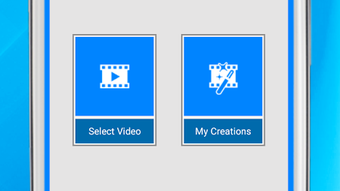
Description
Download Flip Video Video Cutter APK – flip video, trim video, video editor, video cutter, free video editing app, android video editor
Overview
Flip Video, Video Cutter is a free Android application designed to simplify common video editing tasks such as flipping and trimming. Developed by CodeEdifice, the app enables users to modify video orientation and extract specific segments from their recordings with minimal effort. It serves as a lightweight tool for individuals seeking quick, on-the-go video edits without the complexity of full-featured editing suites. The primary use cases include adjusting video orientation for social media, removing unwanted parts of clips, or preparing short-form content for sharing. The app supports direct access to the device’s gallery and camera, allowing users to select videos and apply edits in a streamlined workflow. While the developer did not provide additional details about the company’s background or product roadmap, the app’s functionality is clearly targeted at casual users and mobile content creators who value simplicity and speed. It is particularly useful for those who need to quickly reformat videos for platforms like Facebook, Instagram, or Gmail, where proper orientation and length are essential for viewer engagement.
Key Features & Capabilities
- Video Flipping: Users can flip videos horizontally or vertically with a single tap, enabling quick reorientation for better display on different platforms.
- Video Trimming: The app allows precise selection of start and end points to cut unwanted sections from a video, ideal for creating short clips.
- Audio Control: Options include preserving original audio, muting audio entirely, or replacing it with a track from the device’s media library.
- Direct Sharing: Edited videos can be shared directly to social media platforms such as Facebook and Gmail without requiring additional steps.
- Simple Workflow: The interface guides users through selecting a video, applying edits, and saving or sharing the result in just a few taps.
These features are tailored for real-world scenarios such as fixing upside-down recordings, removing silent or irrelevant segments, or adding background music to personal videos. The ability to flip and trim videos in one place makes the app suitable for users who need to prepare content for social media, family videos, or quick presentations. The integration with the device’s gallery and camera ensures accessibility, while the straightforward interface reduces the learning curve for new users.
User Interface, Workflow & Performance
The app features a clean, minimal interface focused on core editing functions. Navigation is intuitive, with clearly labeled buttons for flipping, trimming, audio selection, and saving. Users begin by selecting a video from their gallery or camera roll, then proceed to apply desired edits using simple controls. The trimming function appears to use a timeline-based slider, allowing users to set in and out points visually. Audio options are presented in a dropdown menu, offering three choices: original audio, mute, or selecting from the device’s media library. After applying changes, users confirm with an "OK" button and wait for processing to complete. The developer did not specify resource usage details, so exact performance behavior, such as CPU or RAM consumption, remains unknown. However, based on the app’s size (25.3 MB) and category, it is likely optimized for mid-range Android devices. Stability and responsiveness during editing are expected to be consistent with similar lightweight tools, though no official benchmarks were provided. General software behavior suggests smooth operation for short videos under 5 minutes, but longer files may require more processing time.
Compatibility & System Requirements
Flip Video, Video Cutter is designed for Android devices and is compatible with the latest versions of the operating system. The app has a file size of 25.3 MB, indicating a lightweight installation that should not significantly impact storage space on most smartphones. The developer did not specify exact system requirements, such as minimum RAM, processor type, or Android API level. Compatibility information is limited to the OS designation, so users are advised to ensure their device meets general Android app standards. No additional hardware dependencies were mentioned. The app is available as an APK file, meaning it can be installed directly without requiring the Google Play Store. This makes it accessible to users on devices with restricted access to official app markets or those preferring sideloading. However, users should exercise caution when installing APKs from third-party sources and verify the authenticity of the download.
Pros and Cons
Pros
- Free to download and use with no in-app purchases
- Simple, intuitive interface suitable for beginners
- Supports both horizontal and vertical video flipping
- Allows trimming and audio customization in a single app
- Direct sharing to Facebook, Gmail, and other platforms
- Lightweight at 25.3 MB, ideal for devices with limited storage
Cons
- No advanced editing features such as filters, transitions, or text overlays
- Audio replacement functionality may be limited to specific file formats
- Exact performance and stability data were not provided
- APK installation may raise security concerns for cautious users
- Limited compatibility details make it hard to assess device support
FAQ Section
Is Flip Video, Video Cutter available on Google Play?
The app is distributed as an APK file, which means it is not currently available through the Google Play Store. Users must download and install the APK manually.
Can I use this app offline?
Yes, Flip Video, Video Cutter does not require an internet connection to function. All editing and sharing features are available offline once the app is installed.
Is the app safe to download and install?
While the app is free and developed by CodeEdifice, users should ensure they download the APK from a trusted source to avoid potential security risks. Always scan the file with antivirus software before installation.
Does the app support video formats other than MP4?
The specific video formats supported were not listed. However, since it operates within the Android media framework, it likely supports common formats such as MP4, AVI, and MOV, though compatibility may vary by device.
How often are updates released?
Information about update frequency was not provided. Users should check the developer’s official website or trusted APK repositories for the latest version.
Final Thoughts + CTA
Flip Video, Video Cutter delivers a focused and functional experience for users who need to flip, trim, and share videos quickly. Its minimal design and straightforward workflow make it ideal for casual creators, social media users, and anyone looking for a no-frills editing solution. While it lacks advanced features found in professional tools, it excels in simplicity and accessibility. The free pricing model and lightweight footprint further enhance its appeal. For those seeking a reliable, easy-to-use Android video editor that performs essential tasks without complexity, this app is a solid choice. Download Flip Video, Video Cutter APK now and start editing your videos on the go.
Guides & Tutorials for Flip Video Video Cutter APK
How to install Flip Video Video Cutter APK
- Click the Preview / Download button above.
- Once redirected, accept the terms and click Install.
- Wait for the Flip Video Video Cutter APK download to finish on your device.
How to use Flip Video Video Cutter APK
This software is primarily used for its core features described above. Open the app after installation to explore its capabilities.
User Reviews for Flip Video Video Cutter APK 0
No reviews found





